Salesforce – Densify
After Salesforce’s new Lightning UI was introduced, feedback from our users showed that excessive white space was our #1 blocker to user adoption. Users needed a way to see more information within the first screen to maintain productivity. Working with cross-cloud Product and UX partners across the entire Product organization, a systematic approach was established to add a densification view across the app. Leveraging our design system, exploring numerous density options, and through user testing, we were able to execute an organization-wide change with minimal effort and impact on our partners. As a result, white space was no longer an adoption barrier to Lightning, contributing to reaching our FY21 six million monthly active users’ goal.
My Role
As Principal UX lead, I led cross-cloud effort to provide a viable solution to executive stakeholders, drive alignment and commitment from various Product/UX/Engineering owners, and execute a solution within a single release.
Project challenges
– Inconsistent code execution across components
– Large scale change
– Multiple executive stakeholders
– Keep to a minimum, resource impact across teams
– Coordination between different Product and UX teams
– Short release cycle
– No historical knowledge of site

Comfy vs. Compact Opportunity Record Page
Salesforce – Mobile Application
Launching an improved version of our enterprise mobile app was one of Salesforce’s biggest undertaking. A new design foundation had to be built for our mobile framework. Everything had to be redefined to build an application that could evolve with our users and the demands of an enterprise platform. This resulted in a highly celebrated, world-class mobile experience by our users.
My Role
As Principal UX Designer, I led the mobile redesign efforts for Records and Object list page. Working closely with the Mobile and Lightning design teams, we established a new set of mobile patterns across the app.
Project challenges
– Mobile patterns were yet to be defined
– Multiple executive stakeholders
– Coordination between different Product and UX teams
– Short release cycle

Salesforce – Object Home/Lists
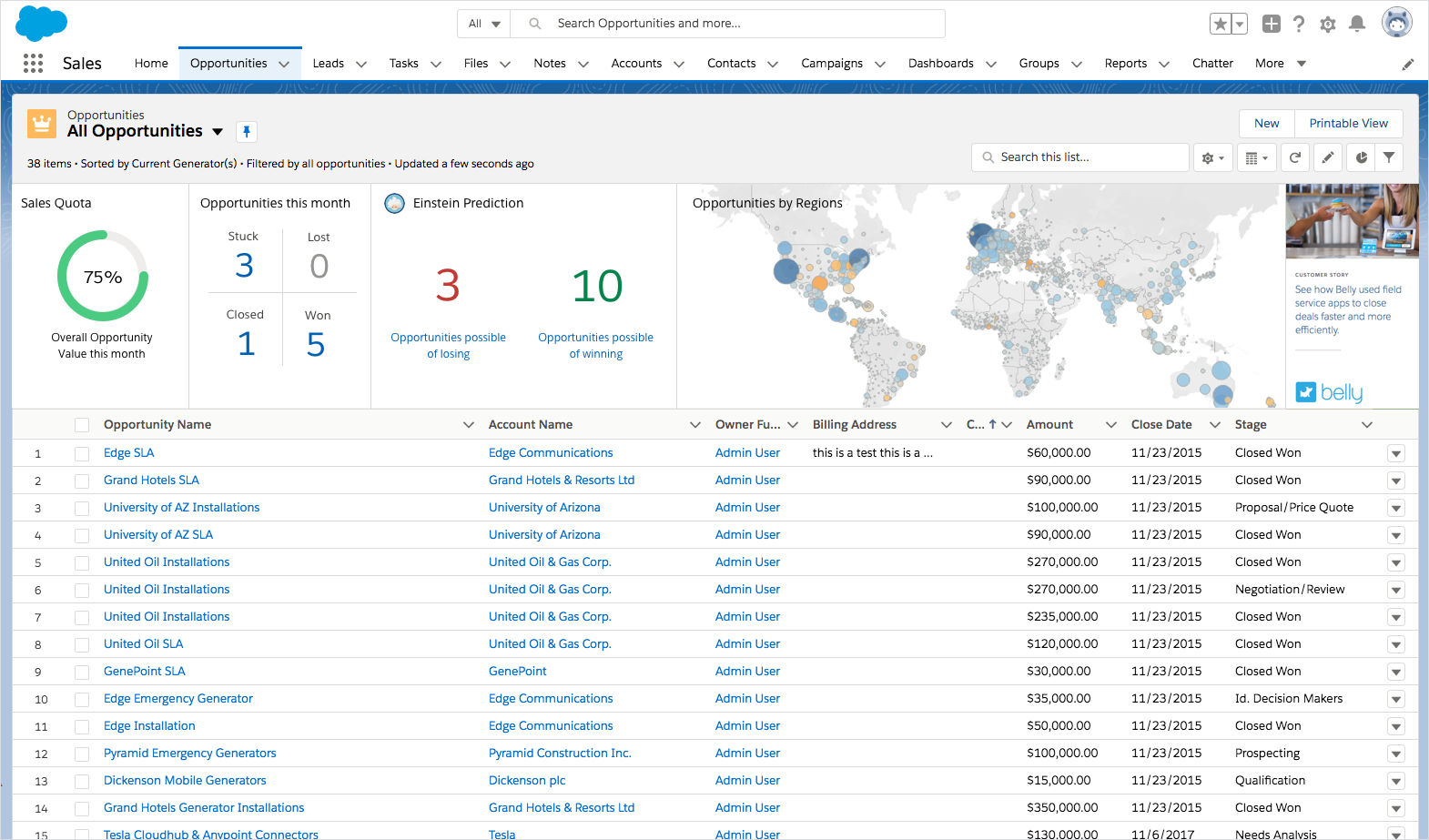
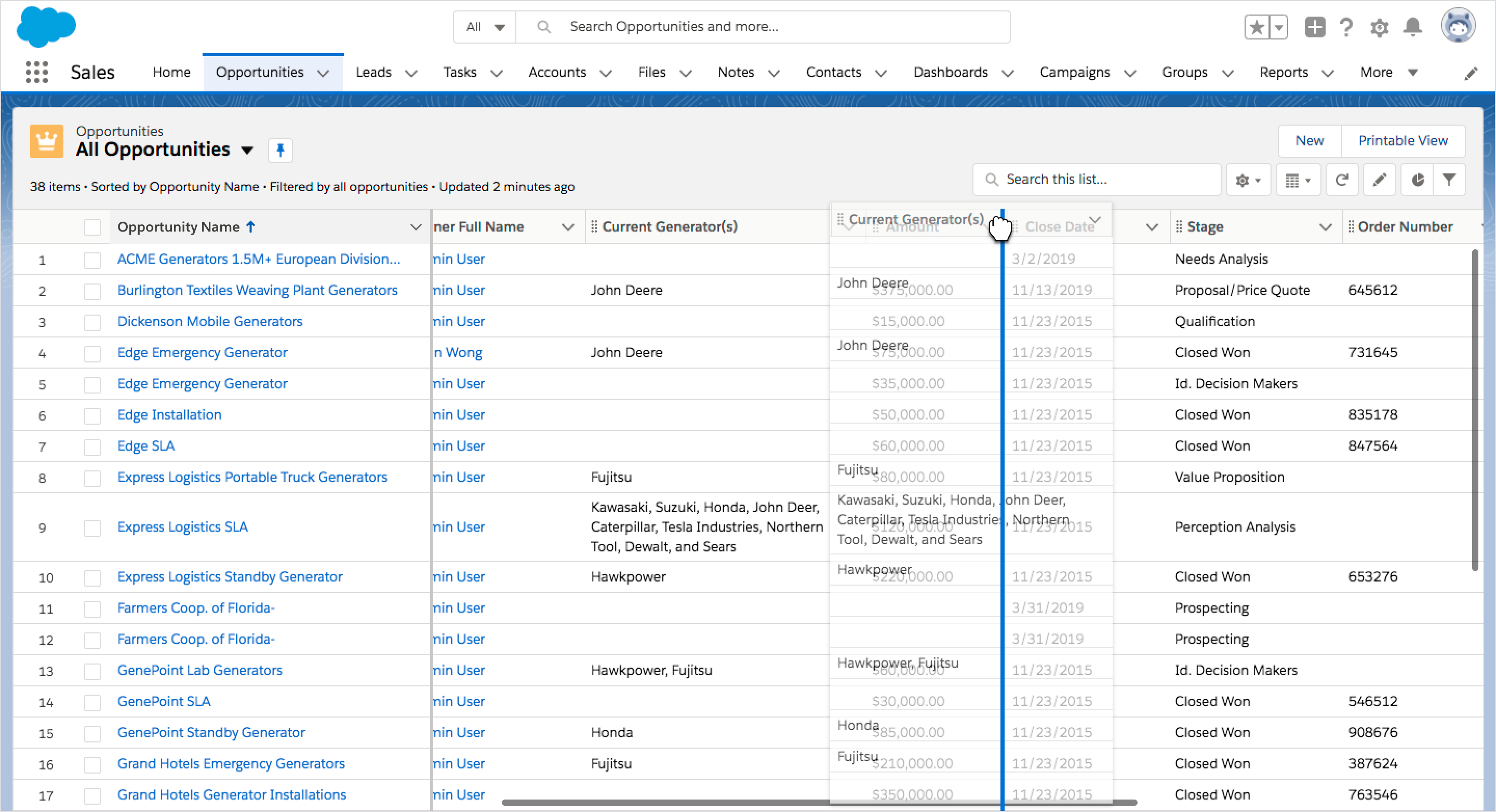
Focusing on our top 5 customer feature requests, we created a FY22 vision of Object Home that would enable users to take next best action on a set of records, and bring productivity improvements. New features based on the feedback we received included a Records summary view, column reordering, multi-sort, Rolodex and closing feature gaps between Classic (previous version) and Lightning (new version).
My Role
As Principal UX Designer, I led the effort to address our customers’ highly requested features for FY22.
Project challenges
– Maintain page performance
– Leverage existing architecture
– Minimize UI complexity
– Maintain accessibility compliance

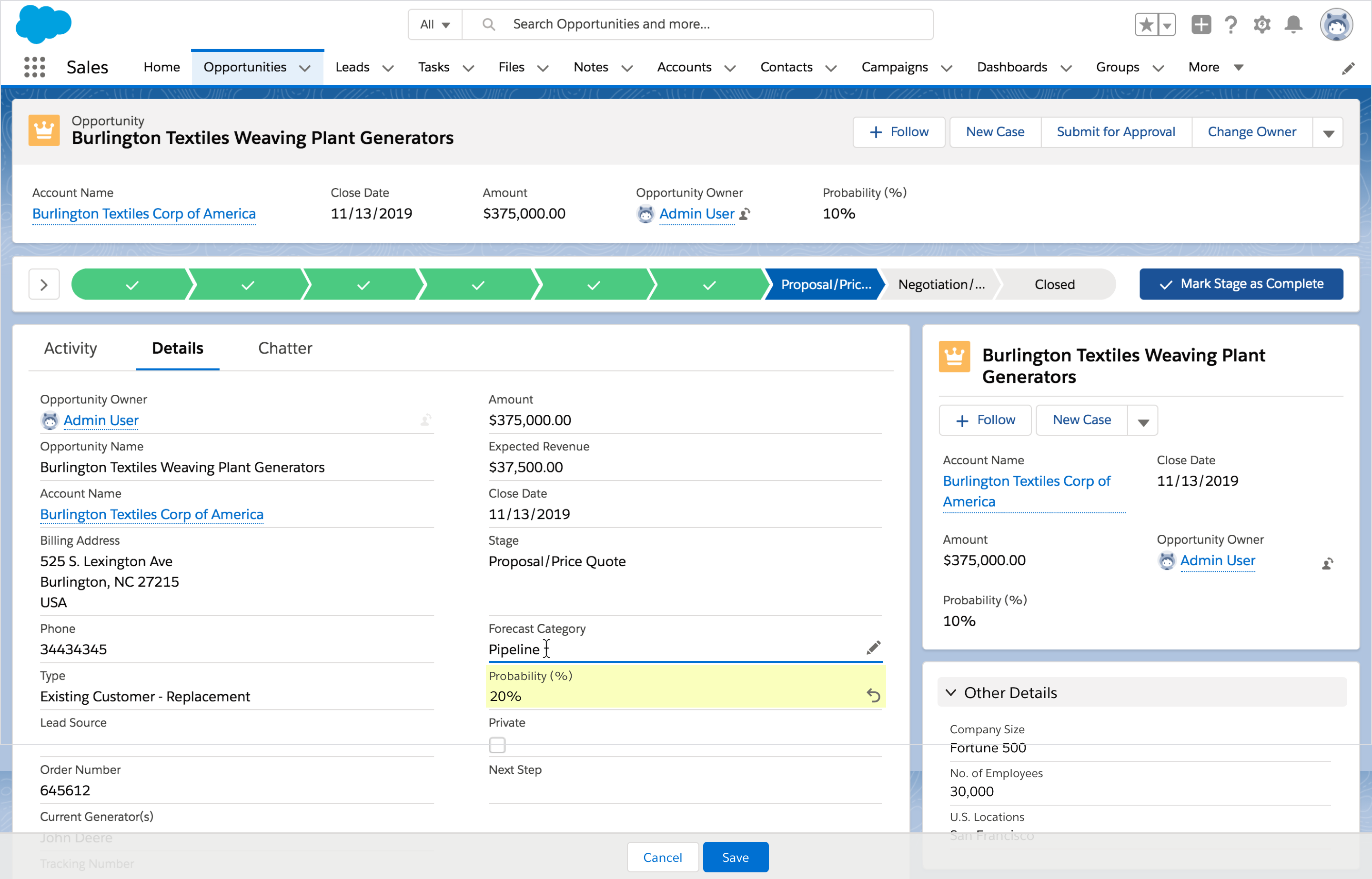
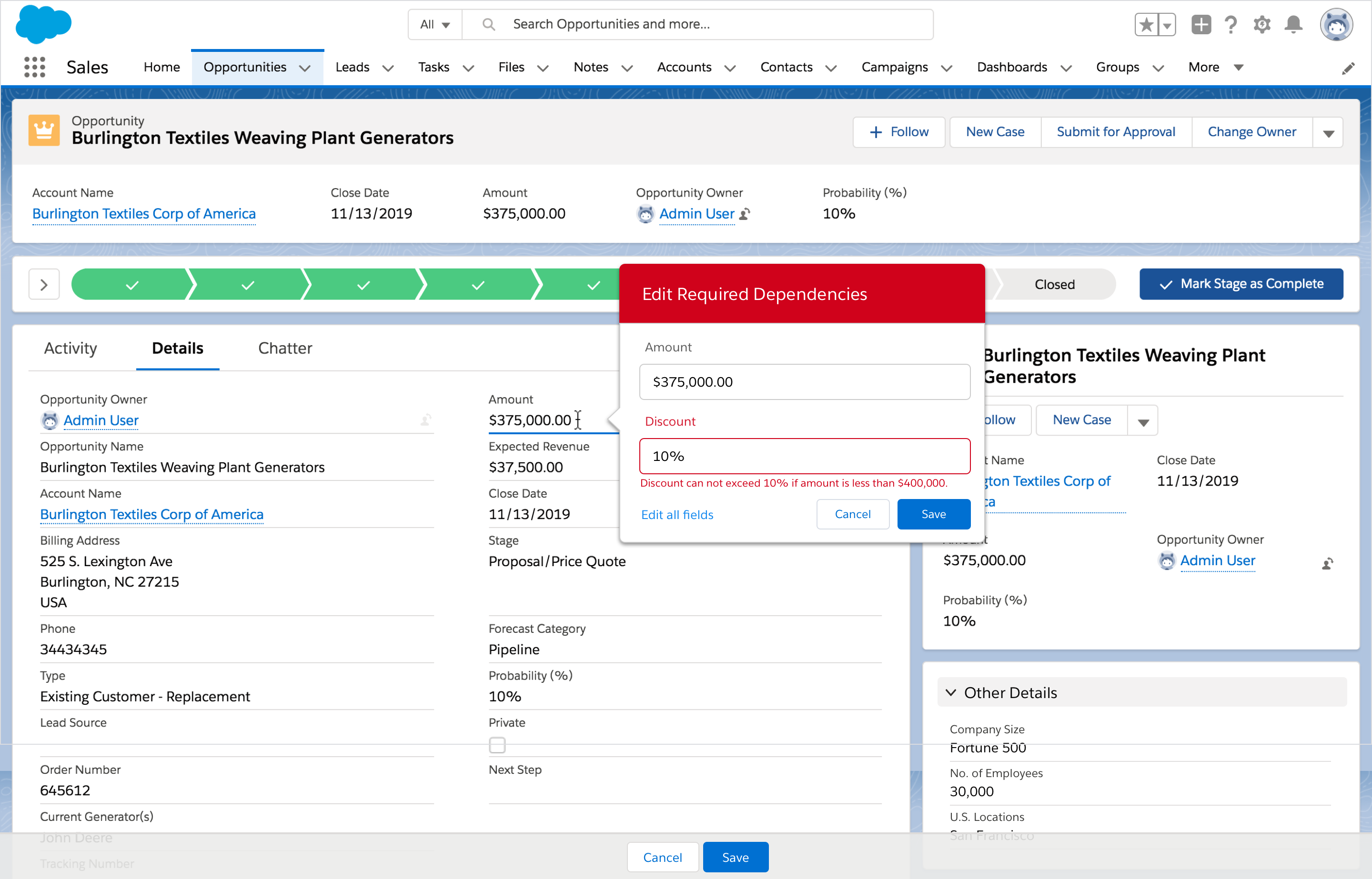
Salesforce – Inline Edit Reimagined
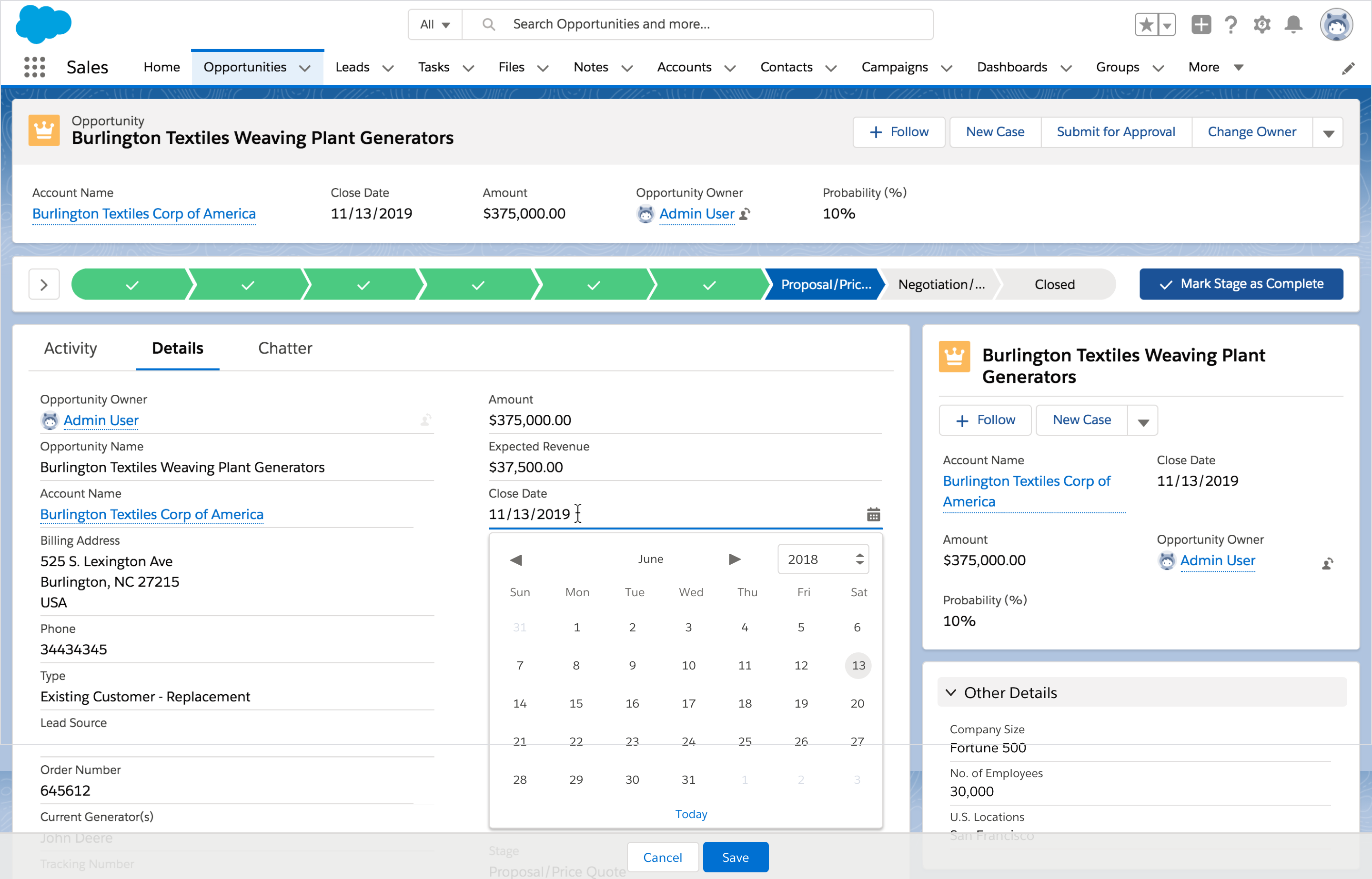
One of the greatest challenges for the Salesforce app is inline editing. Currently, when a user activates inline editing, instead of a single field becoming editable, all fields become editable. Unlike in other applications, the ability to do inline editing in the Salesforce app becomes very complex, as there are multiple levels of validations that impact the user experience.

User clicks on a field to edit 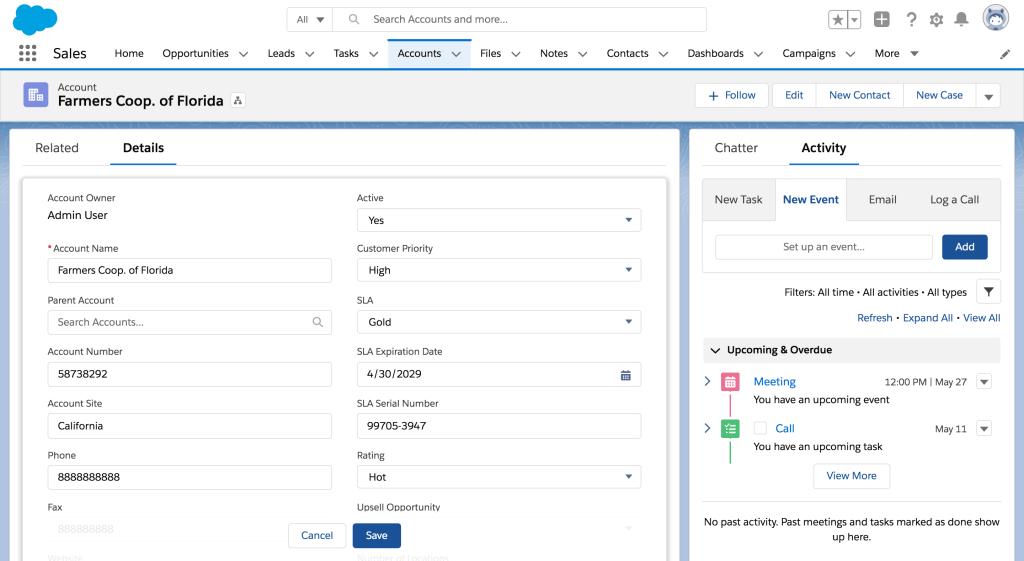
All fields become editable
We leveraged a new page architecture to paint a new version of inline edit, introduced new features to improve productivity for our users and closer align to expected web-behavior, while maintaining accessibility compliance and complex validation checks.
My Role
As Principal UX Designer, I led the effort to propose an improved version of inline edit in the Salesforce ecosystem, bringing executive leadership and product on board to be added to our FY22 roadmap.
Project challenges
– Complex field validation rules
– Maintain accessibility compliance
– Infrastructure limitations and release cycles
 ux54
ux54 
You must be logged in to post a comment.